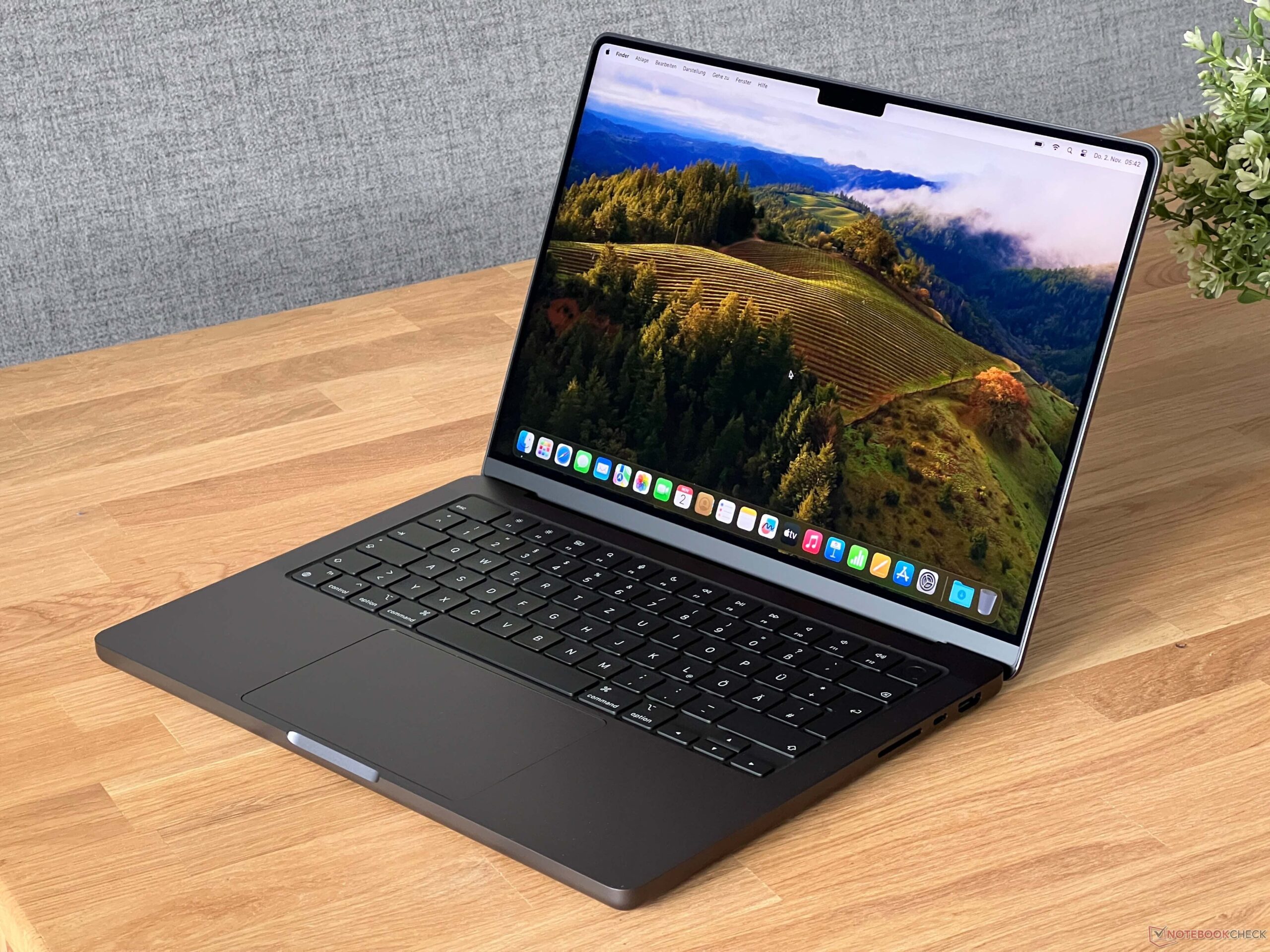
Are you tired of your creative flow being constantly interrupted by frustrating ‘out of memory’ errors? Do slow AI model training times or sluggish local LLM inference make you want to throw your current machine out the window? If these scenarios sound all too familiar, then you’re precisely who I wrote this review for. Today, we’re taking a deep dive into the Apple MacBook Pro 14 M3 Max to see if it truly lives up to the hype as the ultimate portable powerhouse for AI professionals. I’ve put it through its paces, and I’m ready to share my honest verdict.
Unpacking the Power: Key M3 Max 14-inch Specifications
Before we dive into performance, let’s look at the raw specifications that make the M3 Max a formidable contender. The unified memory architecture, coupled with a high core count, truly sets a new standard for on-device AI and high-performance computing.
| Specification | Detail (M3 Max 14-inch) |
|---|---|
| Unified Memory (VRAM Equivalent) | Up to 128GB (e.g., 36GB / 48GB / 64GB configured) |
| GPU Cores | Up to 40 cores |
| Neural Engine Cores | 16 cores |
| Memory Bandwidth | Up to 400 GB/s |
| Starting Price (M3 Max 14-inch) | Approx. $3,199 USD (Varies by region/configuration) |
The Real Deal: Pros & Cons from an AI Power User’s Perspective
What I Loved (The ‘Pros’):
- Blazing Fast On-Device AI: For tasks like Stable Diffusion image generation using Metal Performance Shaders (MPS), the speed is simply phenomenal. High-quality images pop out in mere seconds. Local LLM inference also benefits immensely, delivering excellent token generation rates.
- Game-Changing Unified Memory: The sheer amount of unified memory (up to 128GB) shared between the CPU and GPU is a revelation. This effectively eliminates ‘out of memory’ errors for most large datasets and complex models that would cripple conventional laptops, significantly accelerating my workflow.
- Incredible Power Efficiency & Acoustics: Running demanding AI tasks with almost imperceptible fan noise and astonishing battery life is a true luxury. This allows me to work intensely from anywhere, untethered from a power outlet.
- Seamless macOS Ecosystem: The stability of macOS and the optimization of creative and developer tools for Apple Silicon contribute to a highly productive and enjoyable user experience.
What Gave Me Pause (The ‘Cons’):
- Lingering Ecosystem Limitations: While MPS is powerful, it’s not CUDA. Relying solely on NVIDIA’s CUDA-optimized frameworks and libraries still presents compatibility hurdles. Adapting existing projects often requires significant refactoring or learning a new backend.
- The Premium Price Tag: Let’s not sugarcoat it – this machine is an investment. The M3 Max configurations come at a significant cost, which might be a barrier for some, especially when considering alternative high-end PCs with discrete GPUs.
- Scaling Limitations for Extreme AI Training: While excellent for prototyping and smaller to medium-sized models, training truly massive models (e.g., hundreds of billions of parameters from scratch) still demands dedicated server-grade NVIDIA GPUs. The M3 Max is a portable powerhouse, not a data center in your lap.
Performance Deep Dive: Redefining AI Workflows on the Go
My primary interest in the M3 Max 14-inch was its potential for AI tasks, particularly image generation and local LLM inference. For Stable Diffusion, utilizing the diffusers library with MPS, I consistently achieved generation times of 3-4 seconds for a 512×512 image (20 steps). This is a noticeable improvement over previous generations and brings real-time iteration much closer, even without a monstrous external GPU. Applying LoRA models or ControlNet did not significantly degrade performance, which is crucial for creative AI workflows.
Moving on to Large Language Models (LLMs), the M3 Max truly shines due to its unified memory. Running 7B to 13B parameter models locally (e.g., via Oobabooga’s text-generation-webui) delivered impressive token generation speeds, typically ranging from 30 to 50 tokens per second. This makes the MacBook Pro 14 an excellent machine for rapid prototyping, developing conversational AI, or using code generation assistants on your device without relying on cloud APIs. The generous context window afforded by the unified memory is a major advantage.
For Python-based AI model training, using PyTorch with its MPS backend provides robust GPU acceleration. I conducted tests fine-tuning a BERT-based text classification model. For smaller batch sizes (e.g., 32) and moderately sized models, the M3 Max performed comparably to a mid-range desktop RTX 3070. While it won’t replace a multi-GPU server for large-scale, distributed training, its ability to handle significant training loads while remaining portable is unparalleled. For initial development, experimentation, and fine-tuning medium-sized models, this machine is an absolute beast for on-the-go AI development.
The Verdict: Who Needs This & Who Should Think Twice?
After extensive testing, here’s my clear recommendation:
You Absolutely Need This If You Are:
- An AI/ML Developer or Researcher: Especially if your work involves local LLM testing, Stable Diffusion, image processing, or other memory-intensive tasks where portability is key.
- A High-Resolution Video Editor or 3D Modeler: Users of Final Cut Pro, DaVinci Resolve, Blender, or other Apple Silicon-optimized creative software will experience incredible performance.
- A Data Analyst handling massive datasets: The large unified memory is a game-changer for in-memory data processing.
- Seeking Uncompromised Performance & Portability: If you want the most powerful laptop experience within the macOS ecosystem, this is it.
You Might Want to Consider Alternatives If:
- Your Budget Is Extremely Tight: The M3 Max is a premium product. M3 Pro or even base M3 models offer significant power for less, depending on your specific needs.
- Your Workflow Is Exclusively CUDA-Dependent: While MPS is powerful, if your core tools and large-scale training heavily rely on NVIDIA’s ecosystem, a dedicated GPU workstation might still be more efficient.
- You Absolutely Require a Native Windows Environment: While virtualization solutions exist, they don’t offer the same native performance.
In conclusion, the MacBook Pro 14 M3 Max is not just a laptop; it’s a portable workstation that empowers professionals to tackle highly demanding tasks with unprecedented efficiency and mobility. It’s an investment, yes, but for those who truly leverage its capabilities, it pays dividends in productivity and creative freedom. Will it revolutionize your workflow? For many, the answer is a resounding yes.
🏆 Editor’s Choice
Apple MacBook Pro 14 M3 Max
Best value model optimized for AI tasks
* Affiliate disclaimer: We may earn a commission from purchases.
#MacBookProM3Max #AIDevelopment #StableDiffusion #LLM #LaptopReview