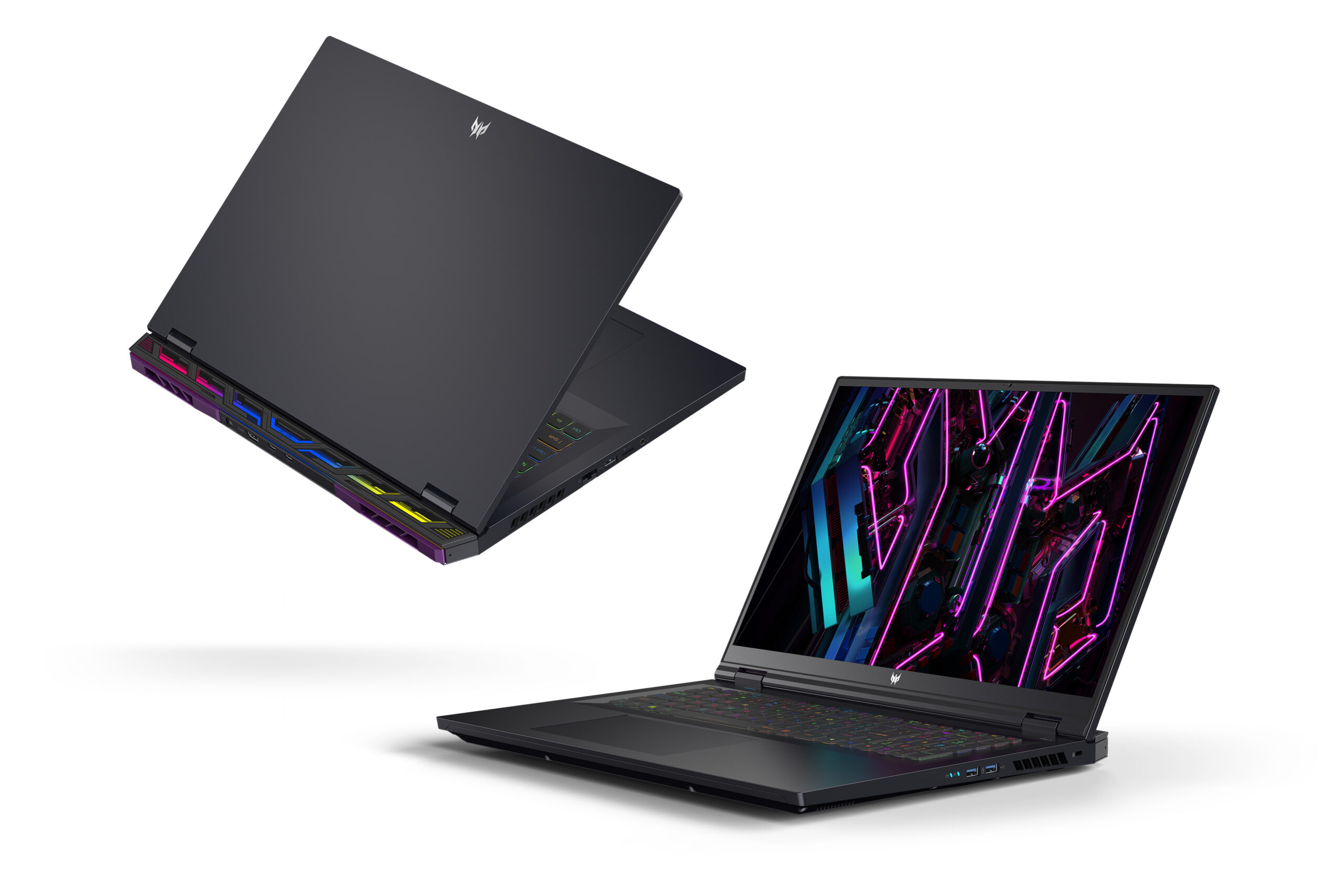
Ever found your critical AI model training grind to a halt with an exasperating ‘Out of Memory’ error? Or perhaps you’ve felt the agonizing wait as Stable Diffusion slowly renders a single image, pushing your patience to its limits? I’ve been there. For a long time, I considered AI work on a laptop synonymous with constant compromise. That was until I got my hands on the Acer Predator Helios 18.
Can this colossal laptop truly revolutionize our mobile AI workflows? I’ve spent a month putting it through its paces, and I’m ready to share my honest thoughts. If you’re questioning whether this machine justifies its hefty price tag, this review is for you.
The Heart of a Monster: Key Specifications at a Glance
It’s not just talk; the numbers speak for themselves. Pay close attention to the GPU specifications, which are crucial for any serious AI workload.
| Feature | Specification |
|---|---|
| GPU | NVIDIA GeForce RTX 4090 Laptop |
| VRAM | 16GB GDDR6 |
| CUDA Cores | 9728 |
| Memory Bandwidth | 576 GB/s |
| Estimated Price (Top-tier config) | $3499 |
Unleashing Raw Power: Where It Shines
- Unrivaled AI Workflow Speed: The 16GB VRAM of the RTX 4090 effortlessly handles most local AI models, from Stable Diffusion XL to Llama 7B/13B inference. Stable Diffusion image generation speeds were astonishingly fast, consistently churning out 512×512 images (20 steps) in about 3 seconds. Small-scale Python deep learning model training was comparable to a desktop RTX 4070 Ti.
- Immersive QHD+ 18-inch Display: The expansive 18-inch, QHD+ (2560×1600), 240Hz display is a game-changer for productivity. It’s incredibly useful for coding with multiple windows open or scrutinizing the fine details of generated images.
- Robust Cooling System: Packing such high-performance components into a laptop usually spells thermal trouble. However, the Predator Helios 18 maintained stable temperatures even during prolonged heavy loads. Fan noise is present, of course, but it felt like a reasonable trade-off for sustained performance.
- Future-Proof Investment: Beyond its current stellar performance, this laptop offers the scalability and potential to keep pace with AI and gaming trends for years to come.
The Realities: Where It Falls Short
- Compromised Portability: True to its ‘Helios’ name, it’s a behemoth. Weighing in at 3.2 kg, it’s a shoulder-strainer in any backpack, nearing 4 kg with its substantial power brick. This isn’t a laptop for frequent, light-duty travel; it’s more of a portable workstation that you set up and use.
- Limited Battery Life: The bane of high-performance machines. Expect only an hour or two of high-load work without being tethered to a power outlet. The power adapter is a constant companion.
- Noise and Heat Under Load: Despite its excellent cooling, the RTX 4090 at full throttle generates significant fan noise. In quiet environments, this might draw unwanted attention. The chassis can also get noticeably warm, which can be uncomfortable.
AI Power User’s Deep Dive: My Practical Experience
I primarily used this laptop for Stable Diffusion XL, Llama 7B/13B (quantized) inference, and training small models with PyTorch. My immediate takeaway? “Is this really a laptop?” The performance is genuinely astounding.
The 16GB of VRAM is particularly crucial, allowing me to load and experiment with a wide array of AI models without constantly battling ‘Out of Memory’ errors—a common frustration with 8GB or 12GB VRAM laptops. For Llama 7B models, I consistently saw text generation speeds exceeding 60-70 tokens per second, making it perfectly viable for building real-time conversational AI interfaces. Setting up and integrating CUDA-based libraries (PyTorch, TensorFlow) within the Python environment was seamless. It’s an excellent development machine.
However, for a critical take, it’s essential to understand that while this laptop is an ‘on-the-go high-performance workstation,’ it’s not a ‘perfect desktop 4090 replacement’ for all scenarios. For very long, multi-day training runs on massive datasets, a dedicated desktop workstation or cloud instance still holds an advantage. The inherent physical limitations of a laptop mean minor throttling and fan noise under extreme, sustained loads are inevitable. But if your need is to ‘work at home, then take it to a café for a quick session over the weekend,’ this machine offers exceptional, even excessive, performance.
The Verdict: Who Should Buy the Acer Predator Helios 18?
This laptop is an excellent choice for anyone seeking a powerful, portable AI development environment or a top-tier gaming machine. 3D artists with heavy graphic demands, data scientists, and gamers who crave the highest settings in AAA titles will find it incredibly rewarding.
However, if you’re swayed purely by the ‘gaming laptop’ label without needing its extreme power, you might be disappointed by its substantial weight and limited battery life. For frequent travel and lighter tasks, a more affordable and portable option would be a wiser investment.
The Acer Predator Helios 18 is a tool for professionals who understand and demand serious performance. If you’re ready to elevate your productivity and creative output, this beast is waiting.
🏆 Editor’s Choice
Acer Predator Helios 18
Best value model optimized for AI tasks
* Affiliate disclaimer: We may earn a commission from purchases.
#acer predator helios 18 #rtx 4090 laptop #ai laptop #gaming laptop #laptop review