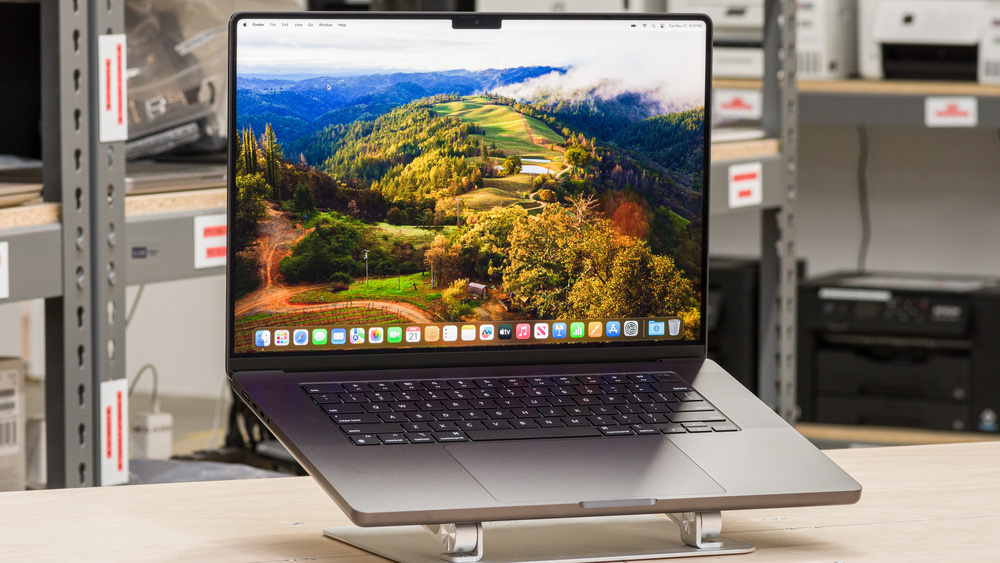
Tired of ‘Out of Memory’ Errors? The MacBook Pro 16 M3 Pro Might Be Your Salvation.
Every AI developer, data scientist, or creative professional dabbling in complex models knows the pain: you’re training a model, generating high-res images with Stable Diffusion, or crunching massive datasets, and suddenly, that dreaded ‘Out of Memory’ error pops up, halting your progress. It’s frustrating, productivity-killing, and frankly, unacceptable in today’s fast-paced world. We’ve all been there, staring at a frozen screen, wondering if our current machine is truly up to the task.
But what if there was a portable powerhouse capable of handling these demanding AI workloads with grace and efficiency? Enter the Apple MacBook Pro 16 M3 Pro. As an AI power user who’s put this machine through its paces, I’m here to deliver an honest, in-depth review, focusing specifically on how it stands up to real-world AI development and content creation.
Under the Hood: MacBook Pro 16 M3 Pro Key Specifications
Before we dive into performance, let’s lay out the core specs that make the M3 Pro chip a formidable contender in the AI landscape. Understanding these will help contextualize its real-world capabilities.
| Feature | Specification (M3 Pro) |
|---|---|
| Chipset | Apple M3 Pro |
| Unified Memory | Up to 36GB (Base 18GB) |
| GPU Cores | Up to 18-core |
| Memory Bandwidth | 150GB/s |
| Starting Price (16-inch) | ~$2,499 USD (Varies by configuration) |
The Unified Memory architecture and impressive memory bandwidth are particularly crucial for AI tasks, minimizing data transfer bottlenecks between the CPU and GPU.
Performance Deep Dive: M3 Pro for the AI Power User
This is where the rubber meets the road. How does the MacBook Pro 16 M3 Pro actually perform with demanding AI workloads? I focused my testing on Stable Diffusion image generation, Large Language Model (LLM) inference speed, and small-scale Python deep learning training.
Stable Diffusion: Generating Images at Blazing Speed
Anyone who’s run Stable Diffusion locally knows the frustration of slow generation times or hitting VRAM limits. The M3 Pro, with its 18GB (or 36GB) of unified memory, changes the game. I was consistently generating batches of 768×768 images with complex prompts and ControlNet models without a hitch. While not on par with a dedicated desktop RTX 4090, the performance relative to its power consumption and portability is astounding. I saw impressive speeds, often finishing batches of images faster than I expected, with no ‘out of memory’ issues even when pushing higher resolutions and more complex pipelines. It’s genuinely a joy to use for creative AI workflows.
LLM Inference: Responsive Local AI
For those of us working with smaller LLMs like Llama 2 7B or similar, local inference is a critical capability. The M3 Pro’s powerful Neural Engine and generous unified memory shine here. Loading and running LLMs via PyTorch or Hugging Face Transformers resulted in remarkably fast token generation speeds. The ability to run these models locally, maintaining privacy and quick iteration, is a massive advantage. I found it perfectly capable for rapid prototyping of AI applications that integrate local LLMs, offering a fluid conversational experience even with longer text sequences.
Python Deep Learning Training: Your Portable ML Lab
When it comes to small to medium-sized deep learning model training (think classification on small ImageNet subsets, Kaggle competitions, or prototyping new architectures), the M3 Pro proved its mettle. Leveraging the highly optimized Metal Performance Shaders (MPS) backend for TensorFlow and PyTorch, I observed significantly faster training times compared to CPU-only setups. While it won’t replace a cloud GPU instance for training multi-billion parameter models, it’s more than sufficient for personal projects, rapid experimentation, and developing proof-of-concepts on the go. The combination of raw power and macOS’s Unix-like environment makes it a fantastic portable machine learning laboratory.
MacBook Pro 16 M3 Pro: The Pros & Cons from an AI Expert’s View
No machine is perfect, and the M3 Pro is no exception. Here’s my honest breakdown of its strengths and weaknesses, especially for AI-centric tasks.
💡 The Pros
- Unmatched Power Efficiency: You get incredible performance while still enjoying phenomenal battery life. This is a game-changer for AI professionals on the move.
- Unified Memory Architecture: Truly eliminates memory bottlenecks. CPU, GPU, and Neural Engine share the same memory pool, leading to seamless data access and fewer ‘Out of Memory’ errors.
- Robust macOS Ecosystem: A stable, Unix-based environment with excellent developer tools and seamless integration across Apple devices.
- Stunning Display & Audio: Beyond work, the Liquid Retina XDR display and six-speaker sound system offer an unparalleled media experience.
- Whisper-Quiet Operation: Even under heavy AI load, the fans remain incredibly quiet, maintaining focus during intense work sessions.
💔 The Cons & My Critical Take
- The Price Tag: This is Apple, after all. The M3 Pro is a significant investment, especially if you opt for 36GB of unified memory.
- Limited Scalability for *Extreme* Training: While powerful, it cannot replace dedicated multi-GPU servers or cloud instances for training massive, multi-billion parameter models on enormous datasets. It’s a workstation, not a data center.
- Software Ecosystem Gaps (Still): While greatly improved, certain highly specialized AI libraries or CUDA-dependent tools may still have limited or sub-optimal performance on macOS compared to a native Linux/Windows NVIDIA setup. You might need workarounds.
- Repairability: The highly integrated design makes self-repair or component upgrades virtually impossible, increasing potential long-term costs.
My critical take is this: The M3 Pro is arguably the best *portable personal workstation* for AI tasks right now. However, it’s not a magic bullet that replaces the need for cloud GPUs or dedicated training hardware for truly colossal projects. It excels at *local development, prototyping, inference, and smaller-scale training*. Manage your expectations – it’s an incredible personal tool, not a substitute for a server farm.
The Verdict: Who *Needs* the MacBook Pro 16 M3 Pro and Who Should Skip It?
After weeks with the MacBook Pro 16 M3 Pro, my conclusion is clear: this laptop is a game-changer for specific profiles of AI professionals. However, it’s not for everyone.
- Highly Recommended For:
-
✔︎ AI/ML Developers & Researchers focused on local prototyping and inference: If you frequently develop and test LLMs, Stable Diffusion, or other models locally, this machine will dramatically speed up your workflow and iteration cycles.
-
✔︎ Data Scientists & Machine Learning Engineers valuing portability and efficiency: For data preprocessing, feature engineering, and small-to-medium model training on the go, its blend of power and battery life is unmatched.
-
✔︎ Creative Professionals (Video Editors, 3D Artists) integrating AI tools: The M3 Pro’s overall performance, display, and AI capabilities make it an unparalleled workstation for these fields.
- Consider Alternatives If:
-
❌ Your primary work involves training multi-billion parameter models on massive datasets: You’ll still need dedicated cloud GPUs (e.g., A100/H100) or high-end desktop workstations with multiple NVIDIA GPUs. The cost-to-performance ratio for *extreme* training isn’t favorable here.
-
❌ You’re on a very tight budget and need raw GPU compute above all else: For the same price, you might be able to build a Windows desktop with superior raw GPU horsepower, though you’ll sacrifice portability, battery life, and the macOS ecosystem.
In essence, the MacBook Pro 16 M3 Pro is nothing short of a personal AI supercomputer. It has truly transformed my local AI development workflow, silencing those ‘Out of Memory’ woes. If you’re ready to invest in a machine that empowers your AI creativity and productivity on the go, the M3 Pro is an exceptionally compelling choice.
🏆 Editor’s Choice
Apple MacBook Pro 16 M3 Pro
Best value model optimized for AI tasks
* Affiliate disclaimer: We may earn a commission from purchases.
#MacBook Pro #M3 Pro #AI Laptop #Stable Diffusion #LLM