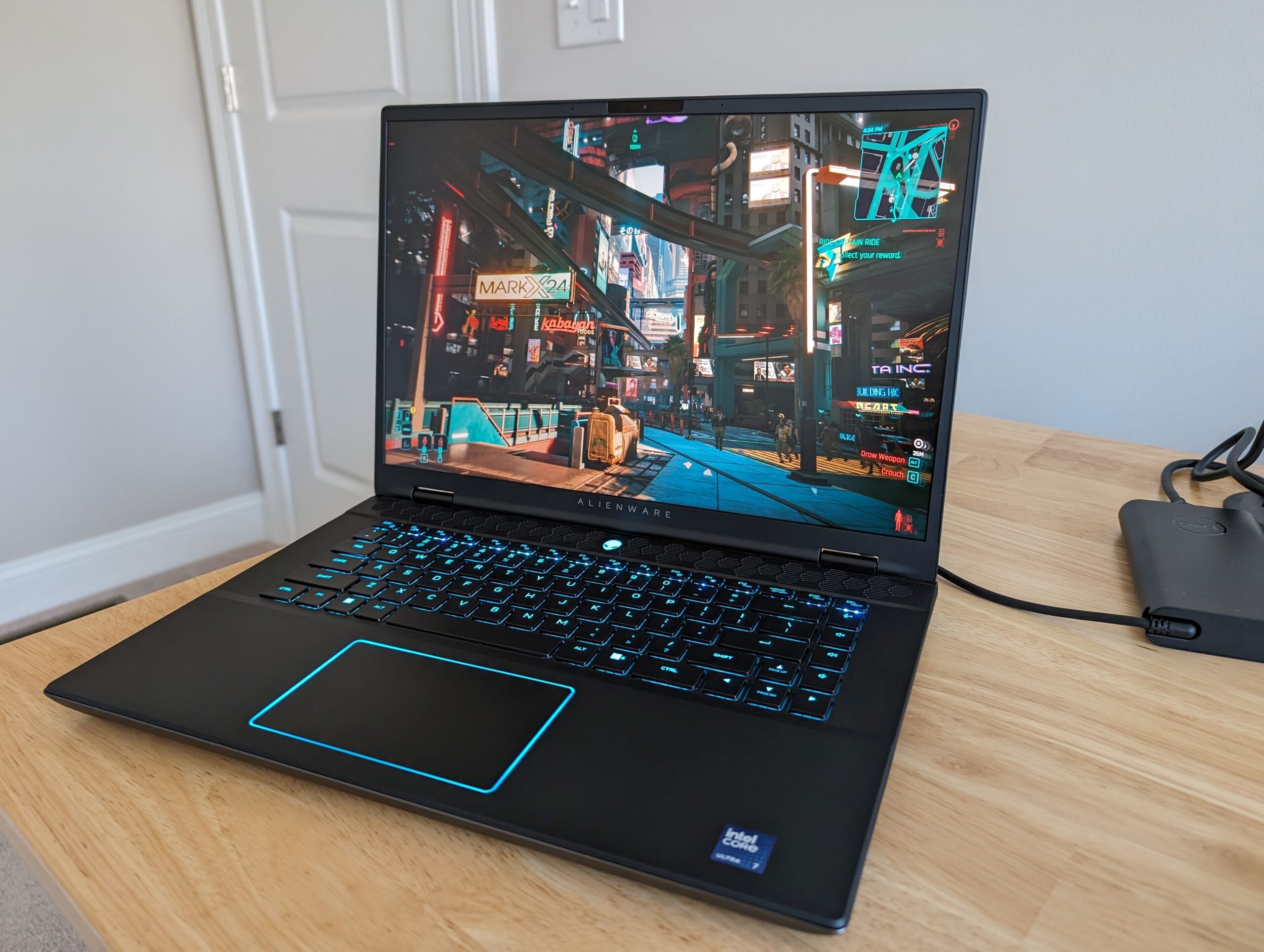
Ever found yourself in the middle of an intense gaming session, or perhaps an even more demanding AI model training, only to be hit by frustrating stutters or dreaded "Out of Memory" errors? I’ve been there too. As an AI power user who also enjoys the occasional high-fidelity gaming marathon, the search for a laptop that truly excels at both is a never-ending quest. That’s why I was incredibly keen to get my hands on the new Alienware m16 R2.
First Impressions: A Sleeker Alien, But Still a Powerhouse
Right out of the box, the m16 R2 presents a noticeable evolution. Alienware has listened to feedback, making this iteration surprisingly sleeker and less bulky than its predecessors, especially with the redesigned thermal shelf. But don’t let the refined aesthetics fool you; underneath the hood lies a beast. My review unit came packed with some serious firepower, promising to tackle anything I could throw at it, from the latest AAA titles to complex machine learning workloads. Let’s look at the core specs:
| Key Specification | Alienware m16 R2 (Reviewed Config) |
|---|---|
| Processor | Intel Core i9-14900HX |
| Graphics Card | NVIDIA GeForce RTX 4080 Laptop (12GB GDDR6) |
| RAM | 32GB DDR5 5600MHz |
| Storage | 1TB PCIe NVMe SSD |
| Display | 16-inch QHD+ (2560×1600) 240Hz |
| Estimated Price | ~$2,499 – $2,999 USD (Config dependent) |
What I Loved & What Bothered Me: A Critical Look
After putting the m16 R2 through its paces for a couple of weeks, here’s my honest breakdown:
The Pros:
- Unrivaled Performance: The combination of the i9-14900HX and RTX 4080 absolutely crushes it. Whether I was playing Cyberpunk 2077 at max settings or running multiple Stable Diffusion batches, this machine barely broke a sweat.
- Stunning QHD+ Display: The 16-inch QHD+ 240Hz screen is simply gorgeous. Colors pop, motion is fluid, and the extra vertical space (16:10 aspect ratio) is a godsend for both gaming and productivity.
- Improved Thermal Design: Despite its power, the new cooling system is surprisingly effective. While it gets warm, throttling was minimal, even under sustained load.
- Premium Build Quality: It feels robust and well-built, as you’d expect from Alienware. The keyboard is satisfyingly clicky, and the trackpad is responsive.
The Cons:
- Battery Life: Let’s be real, this is a powerful machine, not an ultrabook. Expect maybe 2-3 hours under typical use, and less if you’re gaming or running intensive AI tasks. You’ll need the power brick.
- Still Not Exactly "Portable": While slimmer, it’s still a substantial 16-inch gaming laptop. Carrying it around daily might be a chore for some.
- Fan Noise: When the GPU and CPU really spin up, the fans can get quite loud. Headphones are highly recommended for intense sessions.
- Premium Price Tag: Performance comes at a cost. This is a significant investment, and while justified for its capabilities, it’s not for the faint of wallet.
Deep Dive: Beyond Gaming – AI Workload Performance
This is where things get really interesting for me. The Alienware m16 R2 isn’t marketed primarily as an AI workstation, but its hardware tells a different story. The RTX 4080 Laptop GPU with 12GB GDDR6 VRAM is a serious asset for AI. For tasks like Stable Diffusion image generation, I saw impressive speeds, easily outperforming my desktop RTX 3070. Generating a batch of 512×512 images was incredibly fast, and I could push to higher resolutions with fewer "Out of Memory" errors than anticipated for a laptop GPU.
When it came to training smaller machine learning models or fine-tuning existing ones using PyTorch, the m16 R2 held its own. The i9-14900HX processor with its 24 cores (8 P-cores, 16 E-cores) and 32 threads, combined with 32GB of DDR5 RAM, provides ample CPU horsepower for data preprocessing and general compute tasks that often precede GPU-intensive model training. For running local LLMs (Large Language Models), the 12GB VRAM is decent, allowing smaller 7B-13B parameter models to run effectively, though you’ll hit limits with larger models quickly.
My Critical Take: While powerful, remember this is still a mobile GPU. The 12GB VRAM, while good for a laptop, isn’t comparable to a desktop RTX 4090’s 24GB. You’ll still encounter VRAM limitations with very large models or complex training tasks. However, for a mobile solution that lets you prototype, generate, and experiment on the go, the m16 R2 is exceptionally capable. It truly bridges the gap between a high-end gaming rig and a respectable portable AI development environment.
The Final Word: Is the Alienware m16 R2 Right for You?
So, who should consider this powerhouse, and who might want to look elsewhere?
- You SHOULD Buy It If: You’re a hardcore gamer who demands uncompromised performance and a stunning display, and you also dabble in AI development, content creation, or video editing. You need a single machine that can handle everything at peak performance and you don’t mind the premium price.
- You SHOULD Skip It If: Portability and extreme battery life are your absolute top priorities. If your AI workloads consistently require 16GB+ of VRAM, a dedicated desktop workstation might be a more cost-effective and powerful solution. For casual gaming or basic productivity, this is simply overkill.
Overall, the Alienware m16 R2 is a phenomenal piece of engineering. It’s a testament to how far gaming laptops have come, not just in raw power, but in their versatility. For those who want to game hard and push the boundaries of AI creativity on the go, this laptop is a serious contender. It’s an investment, but one that truly delivers.
🏆 Editor’s Choice
Alienware m16 R2
Best value model optimized for AI tasks
* Affiliate disclaimer: We may earn a commission from purchases.
#Alienware m16 R2 #gaming laptop #RTX 4080 #AI laptop #laptop review