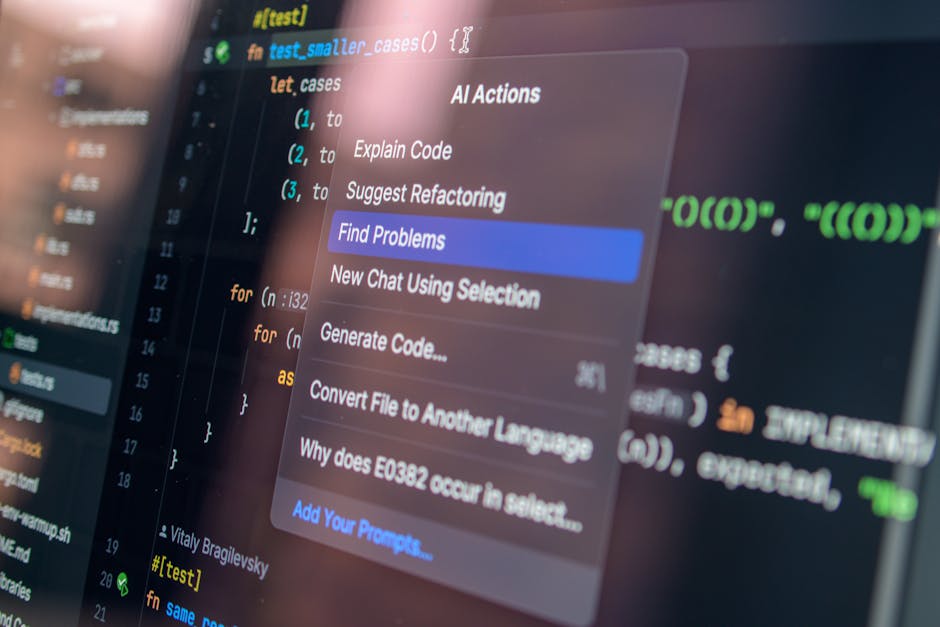
Tired of Boilerplate? Let AI Supercharge Your Code!
Ever felt that familiar struggle against repetitive boilerplate code or a nagging bug that just won’t quit? As developers, we constantly seek ways to boost our productivity. This is where AI code generation tools step in, promising to be our coding sidekicks. Today, I’m diving deep into two major players in this space: GitHub Copilot and Codeium. I’ve put them head-to-head in my daily workflow to uncover their real-world performance, hidden strengths, and critical limitations. This isn’t just a feature list; it’s a battle-tested comparison from an actual user.
First Impressions: Diving Deep into Copilot’s Contextual Prowess & Codeium’s Speedy Simplicity
GitHub Copilot: Unparalleled Contextual Understanding
When I first fired up Copilot, I was genuinely impressed by its deep contextual understanding. It seemed to grasp the flow of my code, other functions within the file, and even my comments, accurately predicting my intent. It felt like having an incredibly knowledgeable pair programmer sitting right beside me, generating several lines, even dozens, of code suggestions. Its integration with the Microsoft ecosystem, like VS Code and GitHub Actions, is a significant advantage that few other tools can match.
However, it sometimes felt *too* eager, generating lengthy blocks that needed careful review. Occasionally, it missed subtle project-specific nuances, offering generic patterns. My ‘Critical Take’ here is that when it suggested a different implementation logic than I had in mind, it sometimes led to longer debugging times because I had to understand its approach first.
Codeium: Lightweight, Lightning-Fast, and Surprisingly Accessible
Codeium, on the other hand, immediately struck me with its snappy response times and the sheer accessibility of its free tier. Installation was a breeze, and its support for a wide range of IDEs and languages was a big plus. What truly surprised me, and this is my ‘Deep Dive’ insight, was how quickly Codeium learned from my local codebase. It offered remarkably relevant suggestions even in less common frameworks or internal libraries, which I didn’t expect from a ‘freemium’ tool. It felt uniquely tailored to my coding style.
It excelled in single-line completions and simple function autofills, significantly boosting my coding speed without disrupting my flow. The fact that it offers such performance for free makes its entry barrier incredibly low.
Real-World Productivity: How They Shape My Daily Coding Grind
Code Quality & Accuracy: Expectations vs. Reality
- Copilot often provides more sophisticated, complete functions, especially for complex business logic or design patterns. At times, it even suggested more efficient approaches I hadn’t considered.
- Codeium shines in repetitive code, variable name completions, and simple utility functions – the ‘boilerplate’ code. It accelerates development rapidly but required more manual work for highly complex or creative logic.
Latency & Workflow Integration: Maintaining the Developer’s Flow State
For developers, maintaining a flow state is paramount, and AI tool latency can be a real disruptor. Codeium, with its focus on shorter suggestions, generally exhibited lower latency and more instantaneous responses. Copilot, while sometimes having a slight delay for more complex suggestions, often compensated by providing larger, more comprehensive code blocks that saved overall time if accurate.
My ‘Deep Dive’ experience revealed that Copilot, despite its advanced capabilities, can sometimes introduce subtle bugs in larger generated blocks that are harder to spot than if I’d written the code myself. This was particularly true for edge cases it might not have anticipated. This highlights the ongoing need for rigorous testing and code reviews. Don’t fall for the illusion that AI perfectly solves everything.
Beyond the Code: Pricing, Privacy, and the Strategic Edge
Cost-Effectiveness: Free vs. Paid – What’s the Value Proposition?
- Copilot operates on a paid subscription model for individual users (with free access for students and open-source maintainers). While the monthly fee can be a consideration, it delivers a high level of contextual understanding and extensive code generation.
- Codeium offers a generous free tier for individual users, with paid options for teams. For solo developers or small startups on a budget, Codeium’s value proposition is hard to beat.
Data Privacy: Is Your Sensitive Code Safe?
This is a critical concern, especially for enterprise users. Copilot, by default, may use your code for model training (though enterprise plans offer an opt-out). This directly impacts intellectual property protection in corporate environments.
Codeium emphasizes local model inference for enterprise clients, minimizing the risk of code data leaving your secure environment. My personal take? Always understand the ‘fine print’ on data usage – how your code and data are used and stored – before integrating any tool. This vigilance is crucial for projects with high security and confidentiality requirements.
Conclusion: Which AI Partner Suits Your Coding Style?
Ultimately, both GitHub Copilot and Codeium are powerful allies capable of revolutionizing developer productivity. The ‘best’ tool depends heavily on your specific development environment, budget, and project needs.
- GitHub Copilot might be a better fit for large teams or seasoned developers deeply embedded in the GitHub ecosystem, who require deep contextual understanding and complex, comprehensive function generation across a vast codebase.
- Codeium is an excellent choice for individual developers or small teams who prioritize cost-effectiveness, fast response times, and seamless code autocompletion to smooth out their daily coding flow, or those using a variety of IDEs.
Regardless of your choice, remember that AI code generators are assistive tools, not replacements for human intelligence. Always subject generated code to thorough review and testing. Choose wisely to make your coding journey smarter and more efficient!
#ai code generation #github copilot #codeium #developer tools #AI for developers