Tired of Toggling? Reclaim Your Screen for AI Work!
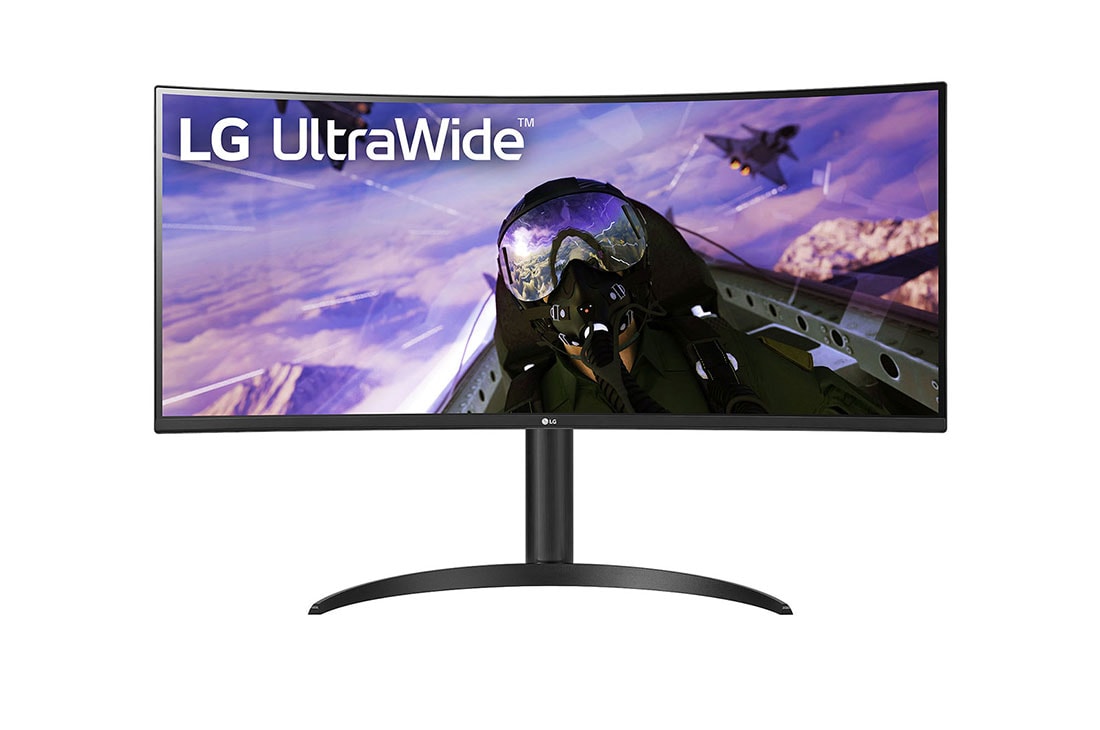
Are you constantly juggling multiple windows – your IDE, a terminal, a browser for documentation, and a data visualization tool – all while feeling constrained by screen real estate? As an AI practitioner, I’ve lived that frustration. That’s why I decided to put the LG 34WP65C UltraWide Monitor to the test. Could this 34-inch behemoth genuinely elevate my AI development workflow, or is it just another pretty face on my desk? Let’s dive into my honest verdict.
LG 34WP65C: Key Specifications at a Glance
| Feature | Specification |
|---|---|
| Aspect Ratio | 21:9 UltraWide |
| Resolution | 3440 x 1440 (WQHD) |
| Panel Type | VA |
| Refresh Rate | 160Hz |
| Response Time | 1ms MBR / 5ms GtG |
| Brightness | 300 cd/m² (Typical) |
| HDR Support | HDR10 |
| Ports | HDMI x2, DisplayPort x1, USB-C (90W PD) x1, USB Upstream x1, USB Downstream x2, Headphone Out x1 |
| Key Features | FreeSync Premium, Height/Tilt Adjustable Stand, PBP/PIP, Reader Mode, Flicker Safe |
Pros & Cons: My Unfiltered Opinion
- Pros:
- Expansive 21:9 Screen: Ample room for coding, terminal outputs, and web browsing simultaneously. Unbeatable multitasking efficiency.
- USB-C 90W Power Delivery: Connects and charges your laptop with a single cable, decluttering your workspace.
- 160Hz Refresh Rate & 1ms MBR: Smooth visuals, reducing eye strain, and delivering crisp motion for general use.
- HDR10 Support: Enhances compatible content with richer, more vibrant colors.
- Cons:
- 34-inch WQHD Resolution: At this size, the pixel density (PPI) might feel a bit low for those accustomed to higher resolution displays, impacting text sharpness slightly.
- VA Panel Characteristics: Viewing angles are not as wide as IPS, and some minor ghosting can occur in fast-moving scenes compared to TN or faster IPS panels.
- Integrated Speakers: Sound quality is average at best; external speakers are highly recommended for any serious audio.
- Not a Top-Tier Gaming Monitor: While 160Hz is good, the VA panel’s response time for competitive gaming isn’t ideal for professional esports players.
Deep Dive: Elevating AI Workflow with UltraWide
For anyone deep into AI development, screen real estate is not a luxury; it’s a necessity. Training an LLM, debugging a complex Python script, or visualizing high-dimensional data demands an immense amount of visual information. The LG 34WP65C’s 21:9 aspect ratio has been a game-changer for my workflow. I can comfortably run my VS Code instance, a Jupyter Notebook, a terminal for model training logs (e.g., Stable Diffusion output), and a browser for documentation side-by-side without constant alt-tabbing. This dramatically reduces context switching overhead, allowing for more focused, uninterrupted work. Specifically, when fine-tuning models, being able to monitor training progress, adjust hyperparameters, and preview results simultaneously on a single, seamless display has noticeably accelerated my iteration cycles. It feels like having the best parts of a dual-monitor setup without the annoying bezel split, which is surprisingly distracting when you’re trying to spot subtle patterns in your data visualizations. For data scientists, visualizing multiple facets of a dataset concurrently, from raw tables to complex graphs, becomes incredibly intuitive. My only critical take here is that if your primary work involves highly detailed graphical design or photo editing where pixel-perfect sharpness is paramount, the WQHD resolution at 34 inches might leave you wanting a higher PPI.
The Verdict: Who Needs This Monitor, and Who Should Skip It?
The LG 34WP65C UltraWide Monitor is a highly recommended accessory for AI developers, data scientists, web designers, and power users who thrive on multitasking and need expansive workspace. Its single USB-C cable solution makes it a dream for laptop users. However, if you are a professional graphic designer demanding pixel-perfect clarity or a hardcore competitive gamer, you might be better served by monitors with higher pixel density or faster, lower-ghosting panel types (like a good IPS or TN panel). For me, the productivity gains in my AI work alone make this an invaluable investment.
🏆 Editor’s Choice
LG 34WP65C UltraWide Monitor
Best value model optimized for AI tasks
* Affiliate disclaimer: We may earn a commission from purchases.
#LG 34WP65C #UltraWide Monitor #AI Development #Productivity #Hardware Review