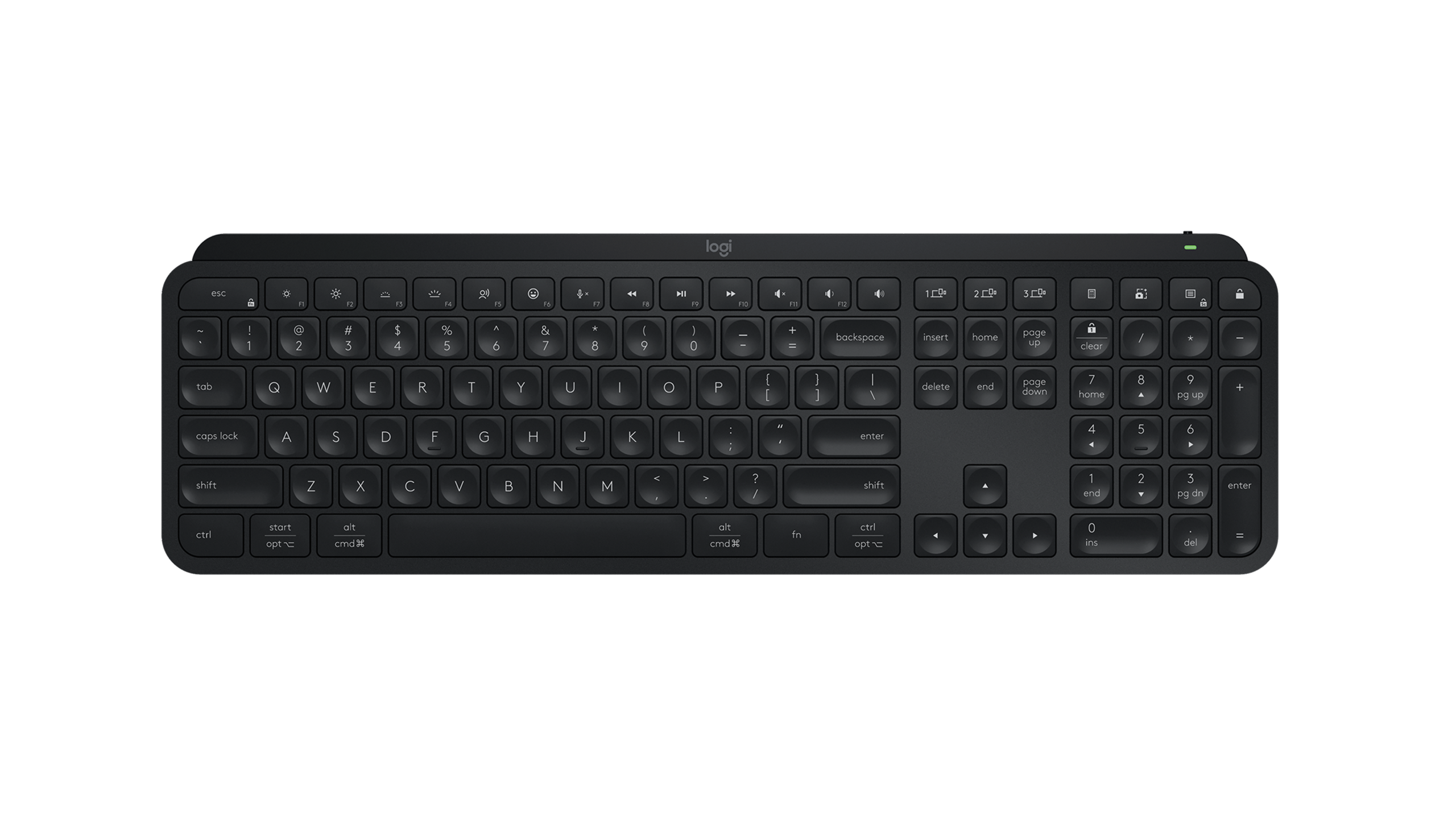
As an AI power user, I spend countless hours at my desk, wrestling with complex algorithms, fine-tuning models, and diving deep into research papers. Have you ever felt your current keyboard hindering your focus or causing unnecessary friction in your multi-device workflow? I certainly have. That’s why I put the Logitech MX Keys S Keyboard through its paces, seeking to answer one critical question: Can this keyboard truly elevate the demanding workflow of an AI professional?
Key Specifications at a Glance
| Feature | Detail |
|---|---|
| Key Type | Perfect Stroke™ Scissor (Low Profile) |
| Layout | Full-size (varies by region/model) |
| Connectivity | Bluetooth Low Energy, Logi Bolt USB Receiver |
| Battery Life | Up to 10 days (with backlighting), up to 5 months (without backlighting) |
| Special Features | Smart Illumination, Easy-Switch, Flow Capability, Logi Options+ Customization |
| Price | ~£110 / $110 / €120 (approx., varies by region) |
Elevating Your AI Workflow: A Deep Dive into Real-World Performance
From the moment my fingers first brushed against the ‘Perfect Stroke’ keys, I knew this wasn’t just another keyboard. The tactile feedback is refined – a satisfying, quiet thud rather than a harsh click, which I found crucial for maintaining focus during intense coding sessions or when articulating complex LLM prompts. The scooped keys gently cradle your fingertips, reducing typing fatigue over hours of development work.
But where the MX Keys S truly shines for an AI professional is its seamless multi-device workflow, powered by Easy-Switch and Flow. I regularly juggle a Linux server for model training, a Windows machine for local development, and a MacBook for documentation and presentations. The ability to switch between these systems with a single tap, or even drag my cursor and keyboard input across screens with Logitech Flow, is not just a convenience – it’s a profound productivity booster. This dissolves the friction of managing multiple peripherals, allowing me to stay immersed in problem-solving across diverse compute environments.
The Smart Illumination feature, which automatically adjusts backlighting based on ambient light, proved invaluable during late-night debugging sessions in a dimly lit office. It’s smart, energy-efficient, and just works. Furthermore, the robust customization options via the Logi Options+ software allowed me to assign specific macros to the FN keys. Imagine hotkeys for `git push`, `docker build`, opening a Jupyter Notebook, or activating a specific Python environment – it streamlines those repetitive AI development tasks, saving precious seconds that add up over a week.
The Verdict: Is the MX Keys S Right for Your AI Setup?
Let’s break down the pros and cons:
- Pros:
- Exceptional build quality and a premium, minimalist design.
- Unparalleled multi-device workflow with Easy-Switch and Flow.
- Comfortable, quiet typing experience ideal for extended periods of coding.
- Practical and energy-efficient Smart Illumination.
- Deep customization with Logi Options+ software.
- Cons:
- Higher price point might deter budget-conscious users.
- Not a mechanical keyboard – enthusiasts might find key travel too shallow.
- Battery life with constant backlighting, while decent at 10 days, could be a concern for some.
Who should buy this? AI/ML engineers, data scientists, developers, technical writers, and anyone who demands a premium, seamless multi-device experience with comfortable, precise typing for long hours. If your workflow involves switching between several computers or operating systems, the MX Keys S is a game-changer.
Who should skip this? Hardcore mechanical keyboard enthusiasts who prioritize deep key travel and distinct tactile/auditory feedback above all else, or gamers requiring ultra-low latency. If budget is your primary concern and multi-device support isn’t critical, simpler alternatives exist.
A Critical Take: More Than Just Typing
While Logitech markets this as a ‘productivity keyboard,’ I’ve found that its true power for AI professionals lies not just in typing comfort, but in its ability to dissolve workflow friction across multiple compute environments. That seamless switching between my GPU server, local dev box, and even a cloud VM via a separate machine truly saves minutes, if not hours, each week. However, don’t expect it to replace your favorite clicky mechanical board if tactile feedback is paramount for your focus; the MX Keys S prioritizes quiet efficiency over a ‘gamer’ feel. It’s a tool for creators and problem-solvers, not just typists.
🏆 Editor’s Choice
Logitech MX Keys S Keyboard
Best value model optimized for AI tasks
* Affiliate disclaimer: We may earn a commission from purchases.
#logitech mx keys s #keyboard review #ai productivity #wireless keyboard #smart illumination