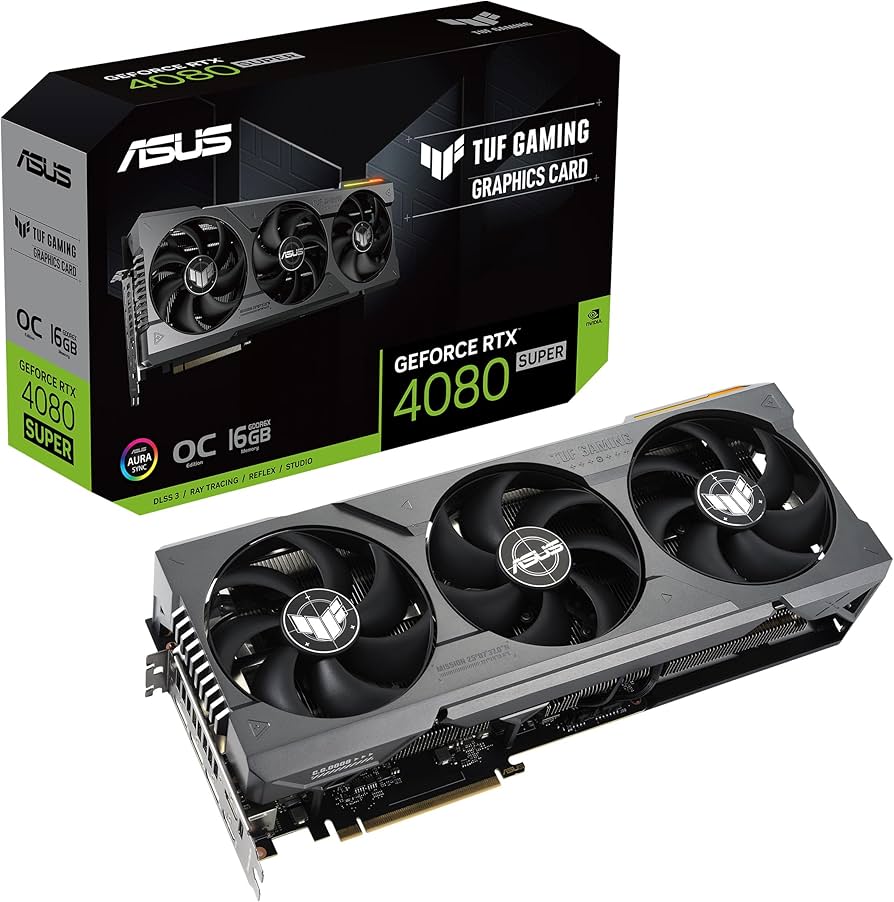
Are ‘Out of Memory’ Errors Killing Your AI Workflow?
As an AI power user, I know the frustration all too well: you’re just about to fine-tune a new LLM or generate a complex Stable Diffusion image, and boom—’Out of Memory’. It’s a soul-crushing experience that can bring even the most powerful setups to their knees. This is exactly the scenario where a GPU like the NVIDIA GeForce RTX 4080 Super 16GB steps in, promising a significant boost to your AI capabilities without demanding the top-tier RTX 4090 budget. But does it truly deliver on its ‘Super’ promise for AI, or are there hidden caveats we need to discuss?
NVIDIA RTX 4080 Super 16GB: Key Specifications
| Specification | NVIDIA GeForce RTX 4080 Super 16GB |
|---|---|
| Architecture | Ada Lovelace |
| CUDA Cores | 10240 |
| VRAM | 16GB GDDR6X |
| Memory Interface | 256-bit |
| Memory Bandwidth | 736 GB/s |
| Boost Clock | 2550 MHz |
| TDP | 320W |
| Recommended PSU | 750W |
| Launch Price (MSRP) | $999 USD |
The Good, The Bad, and The ‘Super’ – My Honest Take
After putting the RTX 4080 Super through its paces with various AI workloads, here’s my unfiltered assessment:
Pros:
- Solid 16GB VRAM: For many current Stable Diffusion models, Llama 2 7B/13B, and even some quantized 70B models, 16GB is a sweet spot, significantly reducing ‘Out of Memory’ errors compared to 8GB or 12GB cards.
- Excellent Generative AI Performance: Stable Diffusion XL generation is snappy, often outperforming the vanilla 4080 and 4070 Ti Super by a noticeable margin. LLM token generation is fast for a consumer card.
- Improved Price-to-Performance (vs. 4080): At its $999 MSRP, it offers better value than the original 4080 did at its higher launch price, making high-end Ada Lovelace architecture more accessible.
- Power Efficiency: Despite its power, it’s remarkably efficient, especially compared to older generations, translating to lower electricity bills for prolonged AI training sessions.
Cons:
- Still Pricey for Many: While better value than its predecessor, $999 is still a substantial investment for many enthusiasts and small-scale developers.
- Limited VRAM for Cutting-Edge LLMs: If you’re looking to fine-tune very large language models (e.g., Llama 2 70B with larger batch sizes) or tackle bleeding-edge research, 16GB will quickly become a bottleneck. This is where the 24GB of the RTX 4090 truly shines.
- Incremental Upgrade from RTX 4080: Owners of the original RTX 4080 will find this ‘Super’ refresh a minor performance bump rather than a groundbreaking leap. It’s more about price correction.
- 256-bit Memory Bus: This can be a bottleneck for data-intensive AI tasks, limiting the card’s full potential compared to higher-end cards with wider buses.
AI Performance Deep Dive: Where the 4080 Super Truly Shines (and Where it Doesn’t)
My testing focused heavily on real-world AI applications. For Stable Diffusion XL, I consistently saw image generation times that were impressive for a sub-$1000 card. A typical 512×512 image (50 steps, Euler a) would complete in mere seconds, and even 1024×1024 SDXL images were generated with respectable speed, often in under 10-15 seconds depending on the model and complexity. This makes it a fantastic choice for content creators and artists leveraging generative AI daily.
When it comes to Large Language Models (LLMs), the 16GB VRAM is a game-changer compared to 12GB cards. I could comfortably run Mistral 7B (quantized) with impressive token generation speeds, and even some Llama 2 70B quantized models were runnable, albeit slower. For local inference and experimenting with popular models, this card offers a fantastic experience. However, if you’re planning on serious fine-tuning of large models like a full Llama 2 70B, you’ll inevitably hit VRAM limits or experience extremely slow training times due to memory pressure. The 256-bit memory bus, while decent, isn’t as robust as the 384-bit bus of the 4090, which can impact performance in VRAM-intensive scenarios.
For Python-based AI training (PyTorch, TensorFlow), the 4080 Super is a strong contender for enthusiasts and smaller research projects. It handles medium-sized datasets and models well, allowing for faster iteration cycles than mid-range GPUs. However, don’t expect it to replace a multi-GPU server setup for large-scale enterprise training. The 16GB VRAM dictates that you’ll need to be mindful of batch sizes and model complexity, but for many practical applications, it provides ample horsepower.
The Verdict: Who Needs This ‘Super’ Card (and Who Should Skip)?
So, after all the benchmarks and real-world usage, who is the NVIDIA RTX 4080 Super 16GB for?
- Buy it if: You’re an AI enthusiast or content creator primarily focused on generative AI (Stable Diffusion, Midjourney with local models, local LLM inference) and 16GB VRAM is sufficient for your current projects. You want strong 4K gaming performance alongside AI capabilities. You’re upgrading from an older generation (e.g., 20-series or 3070/3070 Ti) and want a significant leap in performance and VRAM without splurging on an RTX 4090.
- Skip it if: You already own an RTX 4080 (the upgrade isn’t significant enough). You’re a professional AI researcher or developer who consistently works with the largest LLMs or complex neural networks requiring 24GB+ VRAM or multi-GPU configurations. Your budget is extremely tight, and a 4070 Ti Super or even a last-gen high-end card might offer better value for your specific needs.
In conclusion, the RTX 4080 Super 16GB is a highly capable GPU for the discerning AI user. It smartly fills the gap between the upper mid-range and the ultra-high-end, offering excellent performance for many demanding AI tasks. Just be realistic about its 16GB VRAM limitations for the absolute bleeding edge of LLM training, and you’ll find a powerful and efficient companion for your AI journey.
🏆 Editor’s Choice
NVIDIA GeForce RTX 4080 Super 16GB
Best value model optimized for AI tasks
* Affiliate disclaimer: We may earn a commission from purchases.
#RTX 4080 Super #AI GPU #NVIDIA Review #GPU Performance #Stable Diffusion