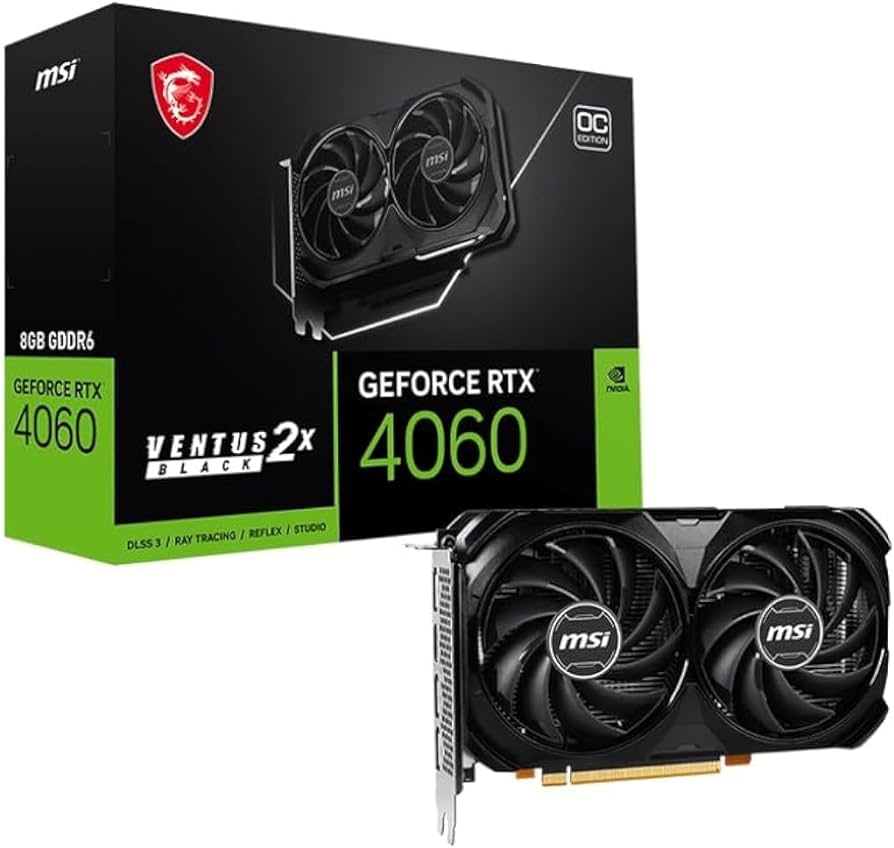
Are you frequently frustrated by ‘CUDA out of memory’ errors halting your AI experiments? Many budget-conscious creators and aspiring AI enthusiasts eye the NVIDIA GeForce RTX 4060 8GB as a potential solution. It’s affordable, it’s new, but is its 8GB VRAM truly sufficient for today’s burgeoning AI workloads, especially when larger models are becoming the norm? I’ve put the RTX 4060 8GB through its paces in various AI tasks, and I’m ready to deliver my definitive verdict.
Let’s dive in and see if this card can truly power your creative AI journey without constant bottlenecks.
NVIDIA GeForce RTX 4060 8GB Key Specifications at a Glance
Before we get into the nitty-gritty of performance, here’s a quick overview of the RTX 4060 8GB’s core specifications. This table will help set the stage for our detailed analysis.
| Spec | Detail |
|---|---|
| VRAM | 8GB GDDR6 |
| CUDA Cores | 3072 |
| Memory Interface | 128-bit |
| Memory Bandwidth | 272 GB/s |
| TGP (Total Graphics Power) | 115W |
| Recommended PSU | 550W |
| Approximate Price | $299 – $329 USD |
My Experience: The Pros & Cons of the RTX 4060 8GB
Pros:
- Exceptional Power Efficiency: With a low TGP, it runs cool and quiet, consuming significantly less power than previous generations. Your electricity bill will thank you.
- Solid 1080p Gaming: For its price point, the 4060 delivers excellent 1080p gaming performance, often leveraging DLSS 3 and Frame Generation to push frame rates even higher.
- Accessible Price Point: It’s one of the most affordable options in the RTX 40 series, making it an attractive entry point for new PC builders or those on a tighter budget.
- Entry-Level AI Tasks: Capable of handling lighter AI inference, smaller Stable Diffusion generations, and basic model fine-tuning.
Cons:
- Significant VRAM Limitation (8GB): This is the elephant in the room. For modern AI models and even some texture-heavy games at higher resolutions, 8GB of VRAM quickly becomes a crippling bottleneck, leading to frequent ‘out of memory’ errors.
- 128-bit Memory Interface: While Ada Lovelace architecture is efficient, the narrower memory bus can limit bandwidth, particularly noticeable in AI tasks requiring large batch sizes or high-resolution data.
- Limited Future-Proofing for AI: Given the rapid growth in AI model sizes, 8GB VRAM might feel outdated sooner rather than later for serious AI work.
Performance Deep Dive: Can 8GB VRAM Truly Power AI Workloads?
After putting the RTX 4060 8GB through various AI benchmarks, my overarching sentiment is that it’s “capable, but often frustrating.” The 8GB VRAM consistently proved to be the Achilles’ heel, especially as I pushed towards more complex tasks.
- Stable Diffusion Image Generation: Generating 512×512 images was relatively quick. However, stepping up to 768×768 or beyond, applying multiple LoRAs, or using ControlNet models frequently resulted in VRAM exhaustion. Batch sizes also had to be kept very small. Interestingly, in some VRAM-intensive Stable Diffusion scenarios, an RTX 3060 12GB could outperform or even complete tasks that the 4060 8GB simply couldn’t. This highlights that for AI, VRAM capacity often trumps raw core count.
- LLM (Large Language Model) Inference: I was able to load and infer with smaller models like Llama-2 7B after quantization. However, attempting to load 13B models was generally futile, and even 7B models struggled with very long prompts or generating extended responses, often leading to memory issues. It’s fine for casual local chatbot experiments, but not for serious LLM development.
- Python Deep Learning Model Training: Basic tasks like MNIST classification or fine-tuning small models on modest datasets were manageable. However, training larger models (e.g., ResNet, Transformers) on substantial datasets like ImageNet was severely hampered. Batch sizes had to be drastically reduced, leading to inefficient and prolonged training times, if it was even possible to fit the model into VRAM at all.
Critically, for AI researchers and developers, the RTX 4060 8GB presents clear limitations. It’s simply not designed for complex model architectures, large datasets, or loading multiple models concurrently without significant compromise.
The Verdict: Who Should Buy and Who Should Skip the RTX 4060 8GB?
The RTX 4060 8GB is a good card, but its suitability depends entirely on your specific use case.
Recommended For:
- 1080p Gamers: If your primary focus is gaming at 1080p resolution and you value power efficiency, this card offers excellent value.
- Entry-Level AI Enthusiasts: Those just starting with AI, generating casual Stable Diffusion images, or experimenting with very small models and datasets will find it serviceable.
- Users Prioritizing Power Efficiency & Low Noise: Its low TGP makes it perfect for compact, quiet builds.
Consider Alternatives Or Skip If:
- Serious AI Developers/Researchers: The 8GB VRAM is a bottleneck. You will quickly hit limitations. Look for GPUs with at least 12GB or, ideally, 16GB+ VRAM (e.g., RTX 3060 12GB, RTX 4060 Ti 16GB, or higher-tier models).
- High-Resolution (1440p+) or Max-Settings Gamers: 8GB VRAM can lead to texture pop-in or frame rate dips in modern titles at higher settings.
- Seeking Long-Term AI Future-Proofing: The rapid evolution of AI models means 8GB will likely become increasingly restrictive for future applications.
In conclusion, the RTX 4060 8GB is an excellent choice for a budget-conscious gamer seeking strong 1080p performance and for the casual AI experimenter. However, for anyone with serious AI aspirations or demanding creative workloads, its VRAM limitation makes it a difficult recommendation. Choose wisely based on your actual needs!
🏆 Editor’s Choice
NVIDIA GeForce RTX 4060 8GB
Best value model optimized for AI tasks
* Affiliate disclaimer: We may earn a commission from purchases.
#RTX4060 #AI performance #Stable Diffusion #LLM #GPU review