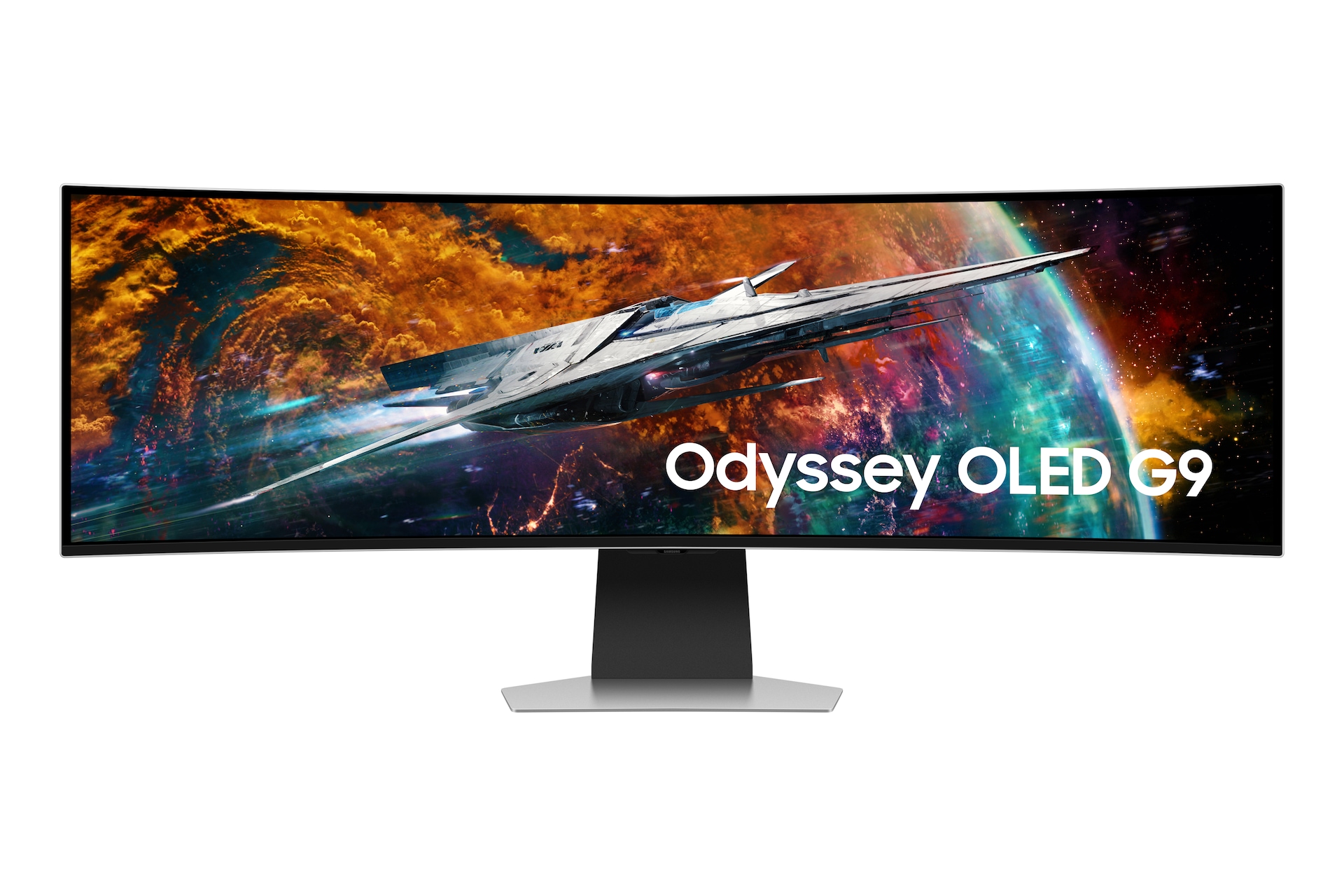
Are you tired of juggling multiple monitors, constantly resizing windows, or missing crucial details in your vast datasets and complex code? Do you dream of a single, expansive canvas that boosts both your productivity and your immersive gaming escapades? As an AI power user, I’ve certainly felt the limitations of conventional setups. Today, I’m diving deep into a display that promises to solve these woes: the Samsung Odyssey OLED G9 (G95SC).
Beyond the Hype: Samsung Odyssey OLED G9 Key Specifications
Let’s cut to the chase. Here’s what makes this monitor a game-changer:
| Specification | Detail |
|---|---|
| Panel Type | QD-OLED |
| Screen Size | 49-inch |
| Aspect Ratio | 32:9 (Dual QHD) |
| Resolution | 5120 x 1440 |
| Refresh Rate | 240Hz |
| Response Time (GtG) | 0.03ms |
| Curvature | 1800R |
| HDR Support | HDR True Black 400 |
| Key Features | Smart TV Apps, Gaming Hub, AMD FreeSync Premium Pro |
| Approx. Price | $1,400 – $1,800 USD |
The Good, The Bad, and The Ultrawide: My Honest Experience
👍 The Pros: Why I’m Impressed
- Unrivaled Screen Real Estate: The 32:9 aspect ratio is a revelation for productivity. I can comfortably have my IDE, several terminal windows, a browser for documentation, and a data visualization dashboard all open without feeling cramped. It truly replaces a dual-monitor setup with seamless efficiency.
- Stunning QD-OLED Picture Quality: Perfect blacks, infinite contrast, and vibrant colors make everything from code syntax highlighting to AI-generated images pop. The visual fidelity is simply breathtaking and reduces eye strain during long sessions.
- Immersive Curved Design: The 1800R curvature truly wraps the display around your field of vision, enhancing focus in both work and play. It feels like you’re inside the content.
- Blazing-Fast Performance: A 240Hz refresh rate and 0.03ms response time (GtG) aren’t just for gamers. The fluidity of everyday desktop interactions, scrolling through massive datasets, and quick switching between applications is noticeably smoother and more responsive.
- Integrated Smart Features: The built-in Smart TV apps and Gaming Hub are a nice bonus, allowing me to switch from a coding sprint to catching up on a show without needing to turn on another device.
👎 The Cons: Where It Falls Short
- Premium Price Tag: There’s no sugarcoating it; this monitor is a significant investment. You’re paying for cutting-edge technology and a premium experience.
- OLED Burn-in Concerns: While modern OLEDs are much improved, the risk of burn-in from static UI elements (like taskbars, IDE toolbars, terminal frames) is always a factor. Mitigation strategies (pixel shift, screen savers, auto-hide taskbar) are essential.
- GPU Demands: To fully leverage 5120×1440 at 240Hz, especially in demanding games or visual applications, you’ll need a powerful graphics card (e.g., RTX 4080 or better).
- Desk Space Monster: A 49-inch ultrawide requires a substantial desk. Measure twice, buy once!
Performance Deep Dive: An AI Power User’s Perspective
For AI and machine learning workflows, the Samsung Odyssey OLED G9 is a game-changer for efficiency and context switching. While it won’t directly speed up your model training or Stable Diffusion generation times (that’s your GPU’s job!), it fundamentally changes *how* you interact with your data and code.
Imagine this: On one side, you have your Python IDE with a complex neural network script. In the center, a real-time visualization of your model’s training progress or the output of your latest Stable Diffusion prompt. And on the far right, a dedicated terminal for managing virtual environments, monitoring GPU utilization, or running LLM inference. This monitor eliminates the constant Alt-Tabbing and the mental overhead of remembering which window is where. Your brain can focus on the *task*, not the *window management*.
The QD-OLED panel’s color accuracy and deep blacks are also invaluable for interpreting subtle differences in generated images, analyzing intricate data plots, or even just making dark-themed IDEs easier on the eyes during late-night coding sessions. I’ve found that the clarity and contrast allow for quicker identification of anomalies in data visualizations and a more accurate perception of generative AI outputs.
A notable feature is the Picture-by-Picture (PBP) mode. I’ve used this to connect my main AI workstation and a secondary laptop running a specific environment, effectively creating two 2560×1440 monitors from a single display. This is incredibly useful for cross-platform development, testing, or simply having a dedicated ‘presentation’ screen without needing an actual second monitor.
However, a critical take: this monitor is an investment in *workflow optimization* and *visual fidelity*, not raw computational power. If your primary bottleneck is GPU speed or RAM, this monitor won’t magically solve that. Furthermore, if you predominantly work on tasks that benefit from extreme vertical screen space (e.g., long documents, specific web development views), two stacked 16:9 monitors might offer a different, potentially better, ergonomic solution. Its strength lies in horizontal expansion and immersive experiences.
The Verdict: Who Needs This & Who Should Skip?
The Samsung Odyssey OLED G9 (G95SC) is a truly remarkable piece of hardware, but it’s not for everyone.
✨ You need this if:
- You’re an AI developer, data scientist, or power user craving unparalleled screen real estate for complex, multi-application workflows.
- You’re a hardcore gamer seeking the most immersive, visually stunning, and responsive gaming experience possible.
- You’re a content creator who needs a vast timeline for video editing or expansive canvas for graphic design.
- You want to replace a dual QHD monitor setup with a cleaner, more integrated single-monitor solution.
❌ You should skip this if:
- You’re on a strict budget; there are more affordable, albeit less premium, ultrawide options.
- You have limited desk space; this monitor commands significant physical presence.
- Your primary workflow involves single applications or tasks that don’t benefit from extreme horizontal screen space.
- You are highly sensitive to OLED burn-in risks and unwilling to implement mitigation strategies.
In conclusion, the Samsung Odyssey OLED G9 isn’t just a monitor; it’s a statement. It redefines what’s possible for productivity and gaming immersion on your desk. For me, it has truly elevated my AI development workflow, making complex tasks feel more manageable and enjoyable. If you’re ready to invest in the ultimate visual and spatial upgrade, this G9 is a worthy contender.
🏆 Editor’s Choice
Samsung Odyssey OLED G9 Monitor
Best value model optimized for AI tasks
* Affiliate disclaimer: We may earn a commission from purchases.
#samsung odyssey oled g9 #ultrawide monitor review #ai monitor #oled gaming #productivity display