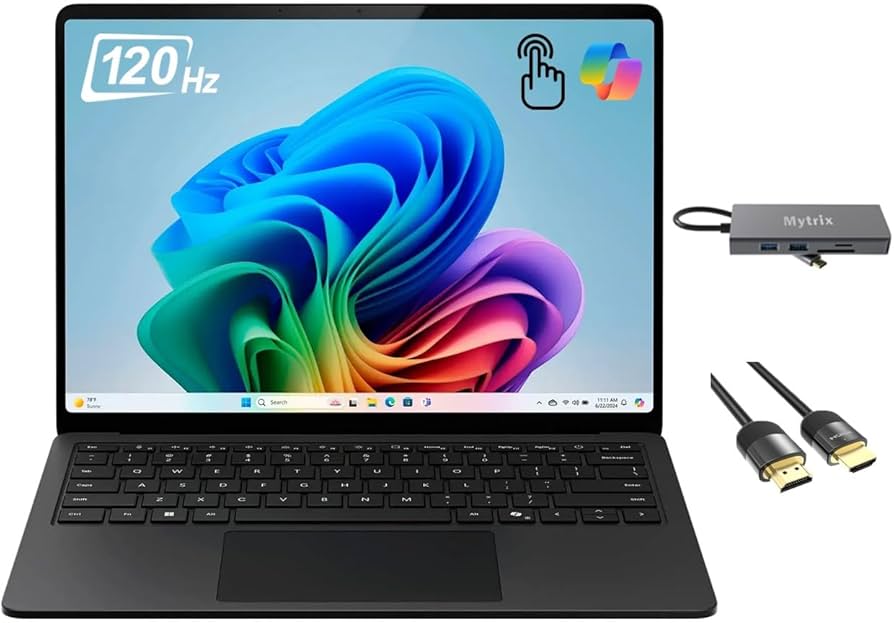
Are you tired of constantly battling ‘out of memory’ errors and sluggish performance when trying to harness AI tools on your current laptop? Do you dream of a machine that can keep up with your on-device AI ambitions without breaking a sweat? Enter the Microsoft Surface Laptop 7 Edition, a device poised to redefine the AI PC landscape. I’ve spent a month putting this sleek machine through its paces, and I’m ready to deliver my honest verdict on whether it truly lives up to the hype for AI power users.
With its much-anticipated Qualcomm Snapdragon X Elite processor and a formidable NPU, the Surface Laptop 7 promises to deliver unparalleled on-device AI performance. From enhancing your Copilot experience to running local AI models, does it truly revolutionize the way we work and create? Let’s dive deep into its capabilities and limitations.
Surface Laptop 7 Edition Key Specifications (AI-Focused)
| Feature | Details |
|---|---|
| Processor | Qualcomm Snapdragon X Elite X1E-84-100 (12 Cores, NPU 45 TOPS) |
| RAM | 32GB LPDDR5X |
| Storage | 1TB PCIe Gen 4 SSD |
| Display | 13.8′ PixelSense Flow Display (2880×1920, 120Hz) |
| Graphics | Integrated Qualcomm Adreno GPU |
| Estimated Starting Price | ~$1699 (for reviewed configuration) |
The AI PC Verdict: Pros & Cons of the Surface Laptop 7
After weeks of intense use, here’s my candid assessment of what the Surface Laptop 7 gets right and where it still falls short.
Pros: A Leap Forward for AI Productivity
- Exceptional NPU Performance: The 45 TOPS NPU truly shines with Copilot+ features and on-device AI tasks. Real-time translation, advanced background blur in video calls, and even simple image generation in AI Studio felt remarkably fluid – a significant step up from traditional CPU-bound operations.
- Incredible Battery Life: For a power user like myself, the ability to go an entire workday, even with substantial AI tool usage, without reaching for a charger is a game-changer. This laptop is a road warrior’s dream, freeing you from power outlets.
- Silent & Cool Operation: The near-silent, fanless design (or very low fan noise under load) is fantastic for focused work. Even during prolonged AI inference tests, the device remained impressively cool.
- Premium Build & Design: The Surface line’s signature elegant design and robust build quality are ever-present. Its lightweight and slim profile enhance portability without sacrificing a premium feel.
Cons: Hurdles on the Road to AI Utopia
- X86 Emulation Limitations: While Windows on ARM compatibility has vastly improved, performance for some highly demanding X86-native software, particularly GPU-intensive AI development environments or professional 3D rendering tools, still faces noticeable bottlenecks. The ecosystem isn’t fully mature for all professional workflows.
- Integrated Graphics Constraints: The Adreno GPU is capable for basic AI acceleration, but it’s simply not designed for VRAM-hungry tasks like complex Stable Diffusion image generation or large-scale model training. For serious AI development, a dedicated GPU remains indispensable.
- Premium Price Tag: The cutting-edge technology and premium build come at a cost. This is a significant investment that might be out of reach for budget-conscious users.
- Limited Port Selection: Two USB-C and one USB-A port feel somewhat restrictive for professionals who often juggle multiple peripherals, requiring a dongle for anything beyond the essentials.
AI Performance Deep Dive: Real-World Experience
The NPU is the undisputed star of the Surface Laptop 7. Its 45 TOPS capability breathes new life into Windows Studio Effects and Copilot features. Real-time voice translation, advanced background effects during video calls, and automatic captioning functions operated with a smoothness that was previously unimaginable on a laptop. This translates directly to a massive boost in productivity for business meetings, online learning, and content creation.
My particular focus was on its local AI model execution capabilities. Running simple machine learning models using Python and ONNX Runtime revealed a tangible speed improvement where NPU acceleration was engaged. However, it’s crucial to understand that complex, large-scale LLM training or high-performance GPU-bound tasks like advanced Stable Diffusion remain firmly in the domain of dedicated GPUs. What the Surface Laptop 7 does, however, is significantly lower the barrier for on-device AI inference, lightweight model deployment, and the use of AI coding assistants in everyday scenarios.
My Critical Take: While Microsoft heralds the era of the ‘AI PC’, many core AI development frameworks and libraries have yet to achieve full optimization for the ARM architecture. Developers primarily working with NVIDIA CUDA-based workflows, for instance, will still face a learning curve and potential compatibility challenges. The Surface Laptop 7 is undoubtedly a catalyst for democratizing AI usage, but for professional-grade AI development, it currently serves more as a powerful companion device than a primary workstation.
The Verdict: Who Needs the Surface Laptop 7, and Who Should Skip It?
The Microsoft Surface Laptop 7 Edition is a compelling device, but it’s not a one-size-fits-all solution.
- You should buy this if:
- You’re a business professional or content creator prioritizing Copilot+ features: If AI-driven productivity enhancements are your top priority, this is an excellent choice.
- You require exceptional battery life and portability: The freedom from power outlets is truly liberating for frequent travelers.
- You value a quiet and cool working environment: The near-silent operation fosters deep concentration.
- You want MacBook-level design and productivity with the openness of Windows: It offers comparable build quality and user experience to its Apple counterparts.
- You should consider alternatives if:
- You’re a hardcore gamer or professional 3D renderer: Integrated graphics simply won’t cut it.
- You’re an AI developer focused on large-scale model training or complex AI development: Dedicated GPUs like NVIDIA RTX series are still essential.
- You heavily rely on specific legacy X86 software with demanding performance requirements: Thorough testing of emulation performance for your critical apps is advised.
The Surface Laptop 7 Edition undeniably represents a significant step forward in the era of AI PCs. While it may not perfectly replace every existing workflow, it offers a compelling glimpse into Microsoft’s vision for bringing on-device AI capabilities directly into our daily lives. If you’re ready to integrate AI actively into your work, this machine should definitely be on your shortlist!
🏆 Editor’s Choice
Microsoft Surface Laptop 7 Edition
Best value model optimized for AI tasks
* Affiliate disclaimer: We may earn a commission from purchases.
#Surface Laptop 7 review #AI laptop #Snapdragon X Elite #Microsoft Copilot #Windows on ARM